4 After Qualtrics consent
The purpose of this section is to show how to exit Qualtrics consent. We might want to terminate the experiment; we might want to send participants to Pavlovia together with the id that Qualtrics either received from a recruitment site or generated itself.
At this point we have set up Qualtrics to receive a participant identifier from the recruitment software; or to generate one if we are doing our own recruitment by distributing direct links to Qualtrics to friends, family, and over social media.
Next is to consider what happens at the end of the Qualtrics consent survey.
There are several ways that you might want people to leave Qualtrics.
- If your Qualtrics study is a survey or questionnaire, and therefore you have all your data at the end of Qualtrics, you can just have Qualtrics thank them for taking part: this is what happens if you don’t specify any exit behaviour.
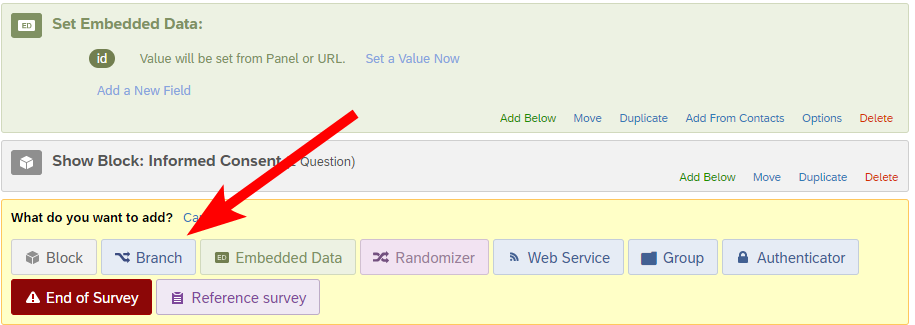
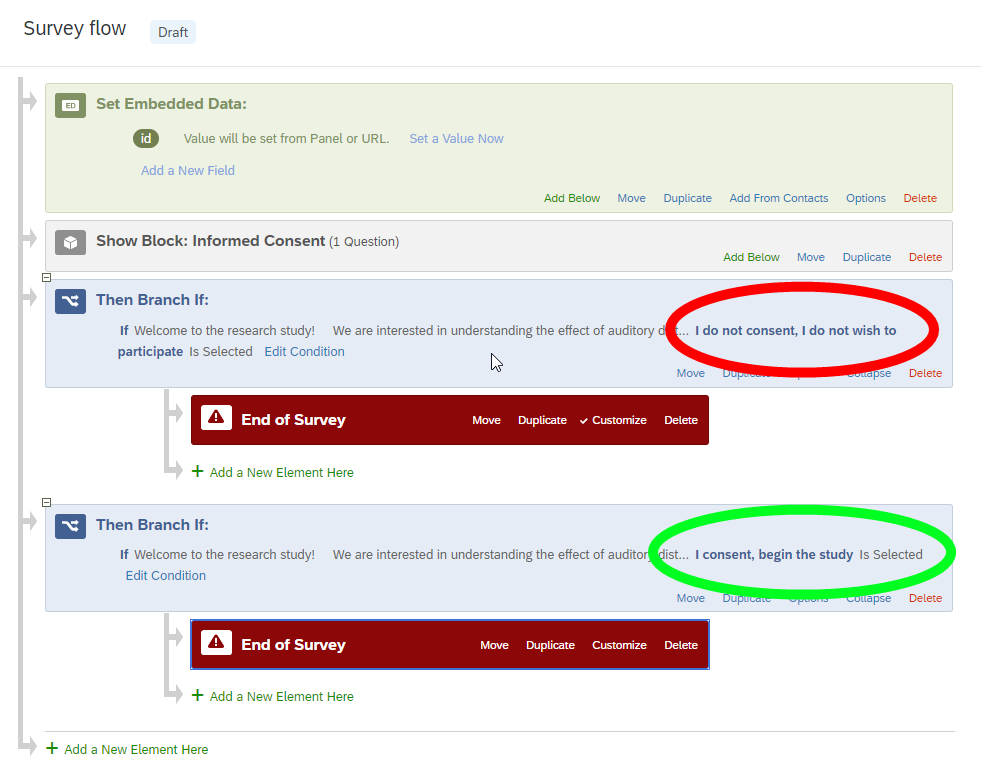
- If your Qualtrics study is just for informed consent, you’ll want one type of exit to cover the case where the participant doesn’t consent after becoming informed, and another to cover the case where the participant does consent. Qualtrics has “Branch” components – Figure 4.1 – that allow us to direct the flow of the experiment according to the answers to questions posed in preceding Blocks. We insert a Then Branch if:, specifying that this branch is to be followed if the answer to the consent question is “I do not consent …” and then direct that Branch to an “End of Survey element, optionally providing a custom message and a redirect URL. Similarly we can branch to a different End of Survey element if the answer to the consent question was”I consent, begin the study”. – Figure 4.2.
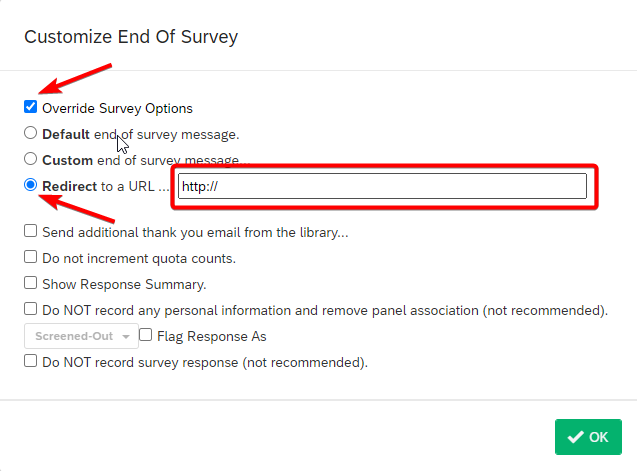
In the End of Survey for the ‘consent’ branch we take advantage of being able to supply a redirect URL and make that redirect point to the next part of the session - typically an experiment hosted on pavlovia.org. This URL needs to be carefully crafted – see Chapter 5.